Every client site’s security on one screen
Moatline Pro on all your client sites, plus a dashboard that shows which ones need you, lets you lock and unlock them remotely and turns it all into white-label reports for your clients.
One license key for all your sites
Agency 50
Up to 50 sites · about $4.98 a site
$249/year
Pro on every site + agency dashboard
Agency 100
Up to 100 sites · about $3.99 a site
$399/year
Pro on every site + agency dashboard
Fewer than 20 sites? See Pro plans (no dashboard).
Prices in US dollars, billed yearly. Cancel at any time. 14-day money-back guarantee. After buying, sign in with the same email and your dashboard is ready.
Everything in Pro, on every site, plus
All sites, one screen
Status, threats, WordPress and PHP versions, last scan and lock state for every site, with the ones that need you at the top.
Remote Lock
Lock a site against plugin installs and new admins, or unlock it for 30 or 60 minutes to work on it, without logging in.
Alerts for your team
An email when a site newly needs action, plus a live log of plugin installs and lock changes on each site.
White-label client reports
A monthly security report with your name, logo and colour, for one site or all of them. Print it or save it as a PDF.
Your whole team
Add colleagues as owners or members. Everyone signs in with an email link; there are no passwords to share.
Pro’s cleanup tools
One-click malware removal, daily scans, two-step login by role and malicious-save blocking on every site.
The agency dashboard
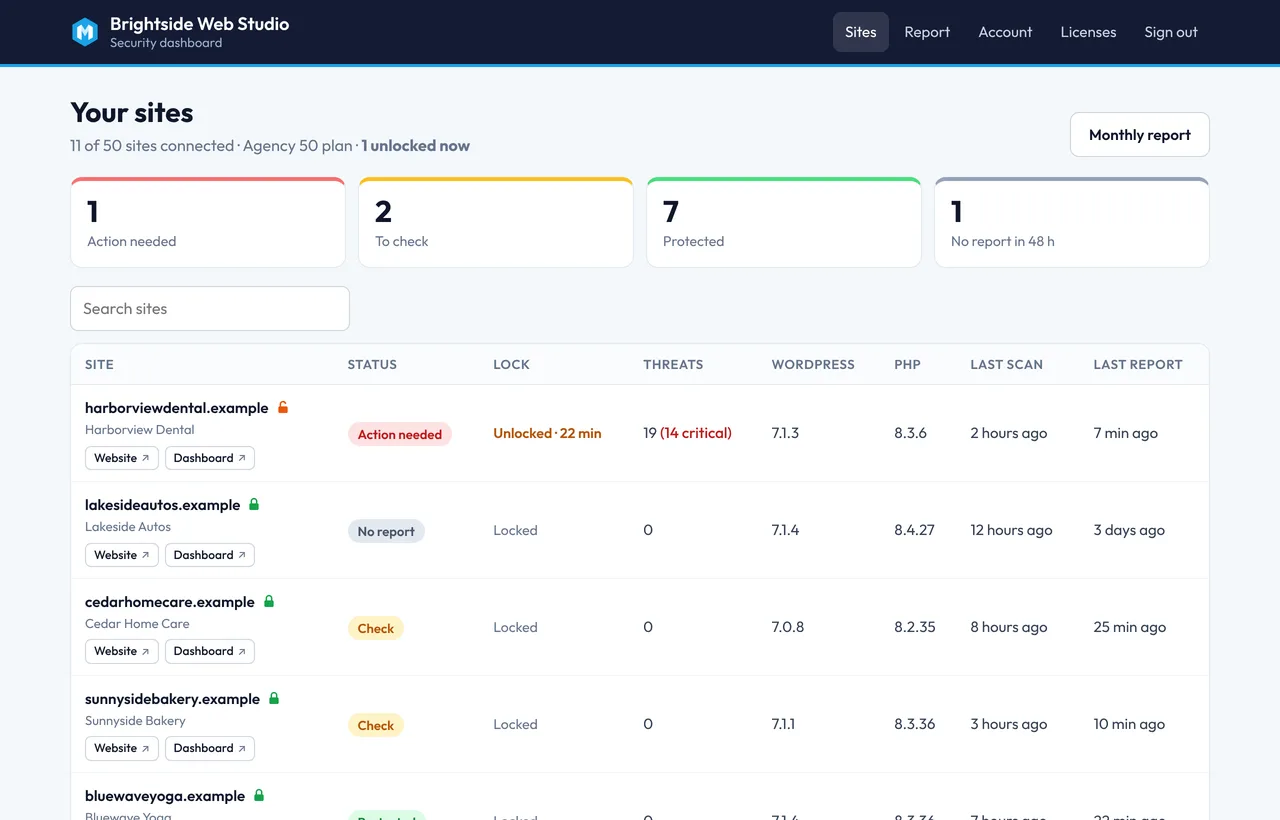
Know which client sites need you this morning
Sites that need action come first, then sites to check, then the ones that are fine. Sites that stop reporting for 48 hours stand out too, so a broken site doesn’t go unnoticed.
- Threats, versions, last scan and last report per site
- One click to the site or its WordPress dashboard, custom login address included
- Search and filter by status
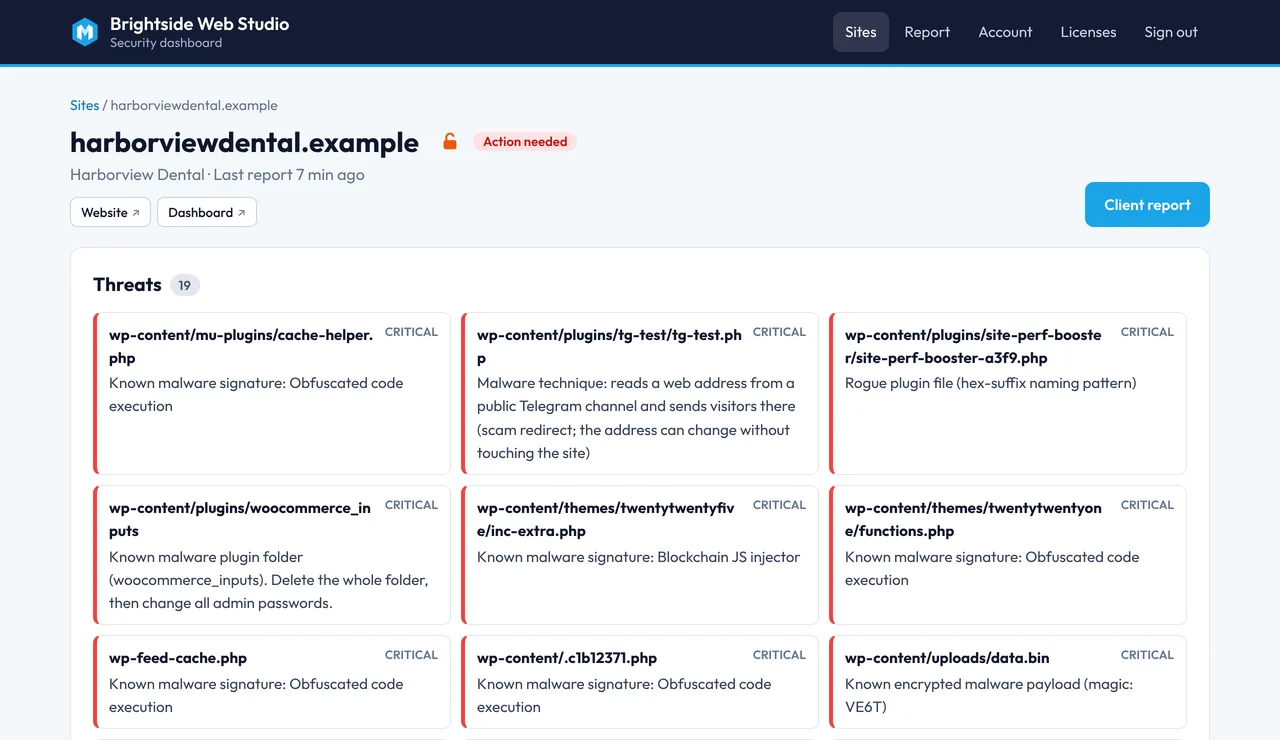
What’s wrong, and where
Open a site to see every finding, its file or database location and how serious it is. Lock or unlock it from the same page.
- Malware, vulnerable plugins and server warnings in one list
- Remote Lock with Moatline Pro 1.5 or newer
- Recent activity: plugin installs and lock changes
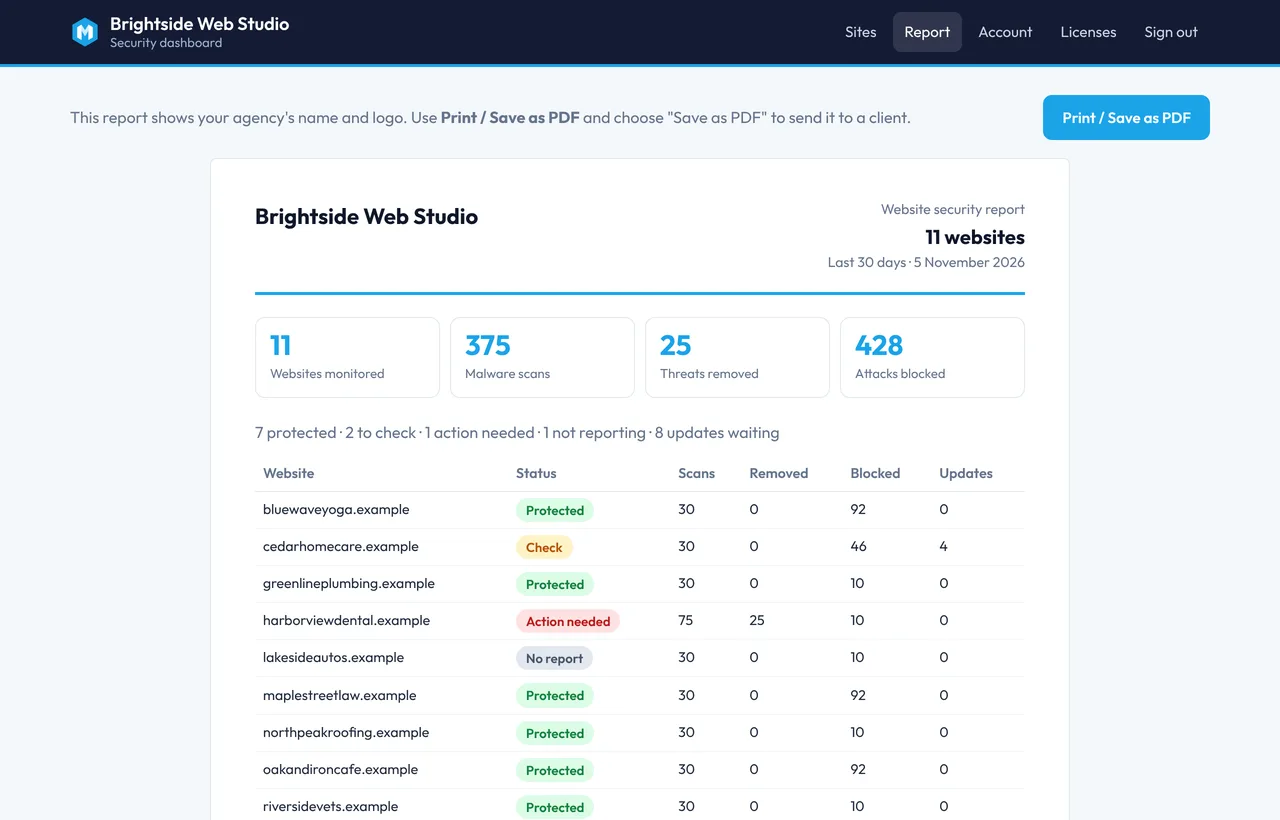
Show clients what their care plan does
A clean monthly report under your agency’s name: sites monitored, scans run, threats removed and attacks blocked. Ready to print or save as a PDF.
- Your logo, colour and contact line
- One site or all sites in one report
- Reports kept for 12 months
Up and running in an afternoon
Buy and sign in
Choose a plan, then sign in at moatline.io/portal with the same email. Your dashboard and agency key are ready.
Add Pro to each site
Install the free plugin and Moatline Pro, activate Pro with your license key and paste the agency key. The site appears within a minute.
Add your brand
Set your logo, colour and contact line, invite your team, and send your first client report.
Agency plans
How is an agency plan different from Moatline Pro for 20 sites?
What do I install on my clients’ sites?
How do I get into the dashboard after buying?
What do my clients see?
Can my team use it too?
What does the dashboard store about my clients’ sites?
Can I move from 50 to 100 sites later?
What happens if I don’t renew?
Is there a refund?
Questions before you buy?
Email us about your setup, or try the free plugin on one site first.